Range slider
Bulma does not style <input type="range">, which then looks different in every browser, and does not follow the dark theme.
The theme gives it a simple, consistent look: a thin flat track and a round thumb.
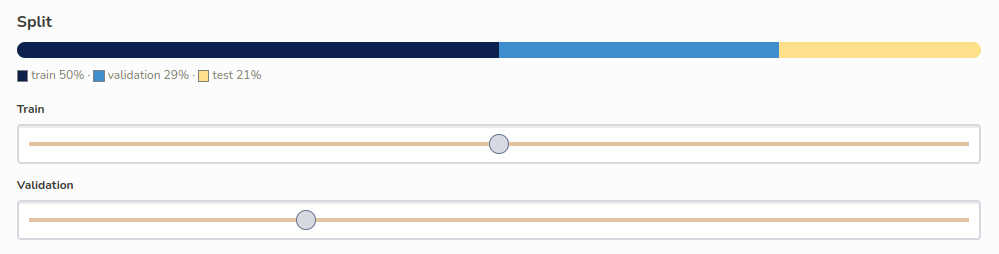
| See the range slider in context on the demo page, in both light and dark themes. |
Usage
Add the input class to a range input:
<div class="field">
  <label class="label" for="threshold">Confidence threshold</label>
  <div class="control">
    <input class="input" type="range" id="threshold" min="50" max="100" value="80">
  </div>
</div>
The slider takes the whole width of its container.
Showing the value
A range input does not display its value. Show it next to the slider, and update it on input:
<div class="field">
  <label class="label" for="threshold">
    Confidence threshold: <output id="threshold-value" for="threshold">80</output>%
  </label>
  <div class="control">
    <input class="input" type="range" id="threshold" min="50" max="100" value="80">
  </div>
</div>

<script>
  const threshold = document.getElementById('threshold')
  threshold.addEventListener('input', () => {
    document.getElementById('threshold-value').value = threshold.value
  })
</script>
Appearance
| Part | Size | Color |
|---|---|---|
Track |
4px high, square ends |
|
Thumb |
18px wide circle, 1px border |
|
The colors are CSS variables, so the slider follows the light and dark themes.
The styles are written for both families of browsers: the ::-webkit-slider- pseudo-elements (Chrome, Edge, Safari) and the ::-moz-range- ones (Firefox).
They are kept in separate rules, as a browser drops a whole rule as soon as it contains a pseudo-element it does not know.
Customizing
The sizes and colors are Sass variables internal to the theme, which cannot be configured from a project. To change the slider in a project, override the pseudo-elements, for both browser families:
.input[type='range'].is-primary::-webkit-slider-thumb {
  background: var(--bulma-primary);
}

.input[type='range'].is-primary::-moz-range-thumb {
  background: var(--bulma-primary);
}