Import data
After your project is available, you can import Arkindex elements and their embeddings using 2 methods:
-
through the Arkindex Rest API,
-
through Arkindex sqlite exports.
| Any Grappa user with access to a project can import data from Arkindex. |
| No embeddings are generated on Grappa, you need to produce them first on Arkindex ! |
Import with the Arkindex Rest API
The API Import modal looks like the following figure. It’s available through the top navbar but also on the sidebar on the project details page.
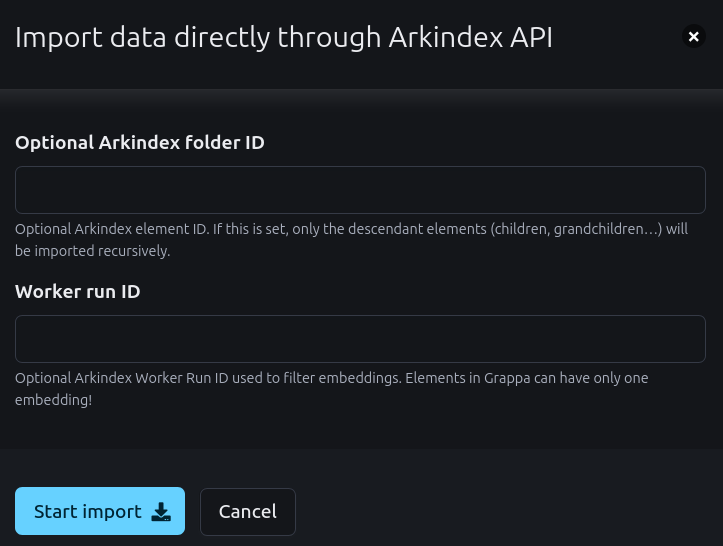
By default, the whole project will be loaded. All its embeddings would become available in Grappa.
You can optionally limit the import by specifying:
-
a Worker run ID for the embeddings, useful when several embeddings workers have produced various results and you only wish to import one kind,
-
a Folder ID so that only its children elements would be imported.
| API import is not recommended for large projects; Sqlite exports should be preferred. |
Import with the Arkindex sqlite exports
The Database Import modal looks like the following figure. It’s available through the top navbar but also on the sidebar on the project details page.
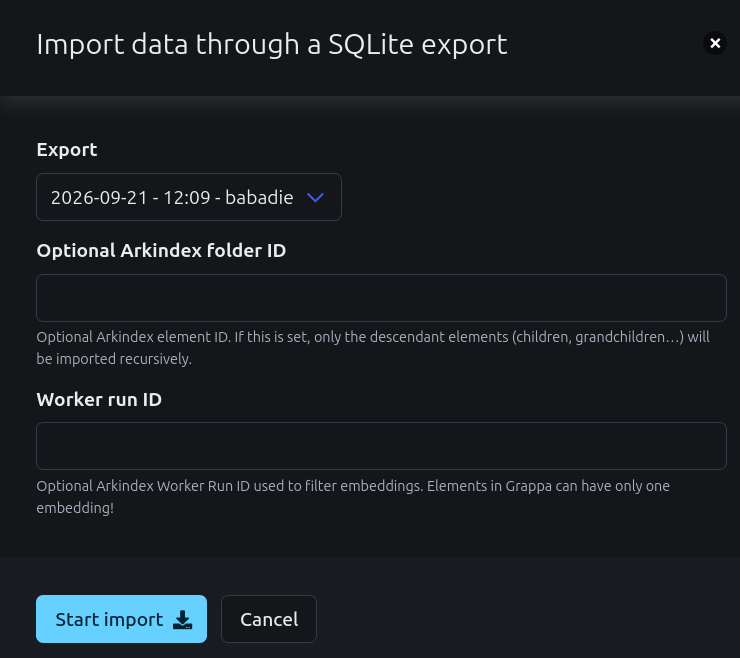
You’ll need to select an existing sqlite export. If none are available, you’ll need to start one on the Arkindex side first.
By default, the whole project will be loaded. All its embeddings would become available in Grappa.
You can optionally limit the import by specifying:
-
a Worker run ID for the embeddings, useful when several embeddings workers have produced various results and you only wish to import one kind,
-
a Folder ID so that only its children elements would be imported.
Next step
Once you have imported embeddings, you need to reduce them.