User worker runs
All objects created on Arkindex are created by either a user or a specific execution of a worker. When a result was created by the execution of a worker, it is signed by the corresponding worker run ID. This makes it possible to know which worker, with which configuration and model, created the object.
There are cases where you are creating an object without running a process in Arkindex but the worker run ID is mandatory. This can happen when:
-
You run a worker locally (learn more about this in the Workers documentation) but want to publish results on Arkindex;
-
You use the bulk endpoints of Arkindex’s REST API, in a script for example;
-
You use some commands in Arkindex’s Command Line Interface.
In order to mimic a worker’s execution on Arkindex, you can create a user worker run.
Browse user worker runs
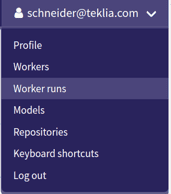
To do so, access the Worker runs page from the user menu in the top-right corner:
This page lists all your user worker runs.
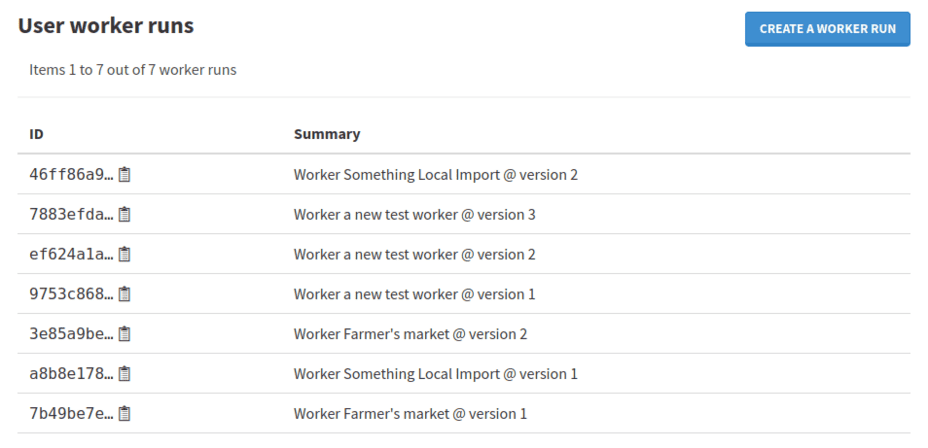
| User worker runs are personal and can only be used by the user who created them. |
Create a user worker run
To create a new worker run, click the Create a worker run button on the right. This opens the creation modal.
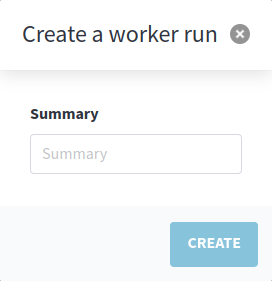
The only field you will need to specify is the summary. On regular worker runs, this summary is automatically generated from various other attributes, but on user worker runs, you can type anything to describe explicitly your worker.
The summary will be displayed when viewing data created using this user worker run. While only the creator of a user worker run can use it to create data, anyone with access to that data will be able to read the summary.
By clicking on Create, the new user worker run gets created and its ID is immediately available to be copied to somewhere else.
You can use this user worker run ID in your scripts using the Arkindex API client, when using the Arkindex Command Line Interface, or to publish results on Arkindex when executing a worker locally.